
Guide4 min read
Get your room ready in 10 minutes
Camera placement, lighting and the one setting most people miss.
Read the guideBOARD VIEW
A clear, legible, live view of the board on every screen in the room and beyond — no matter where someone is sitting.
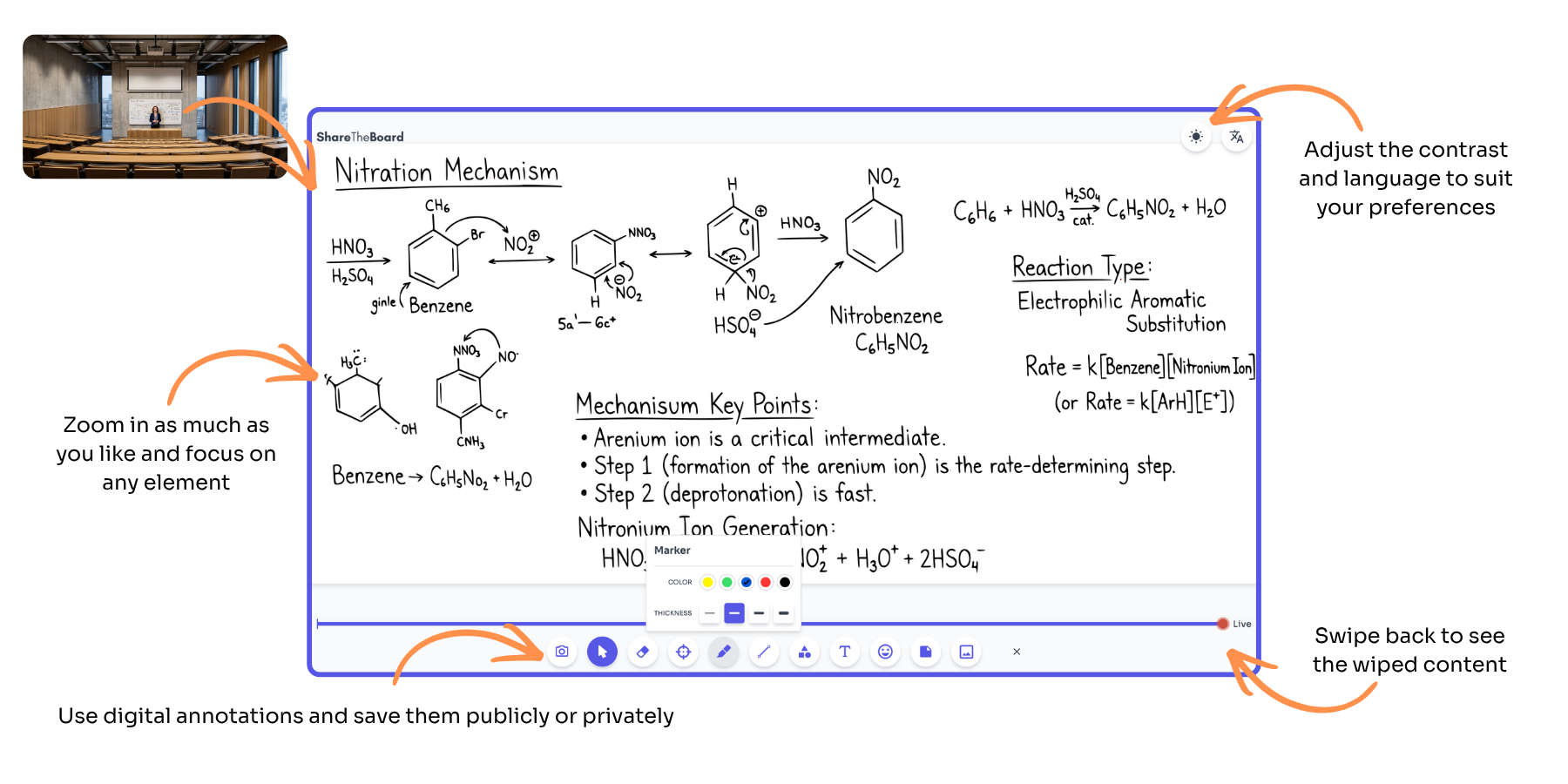
Board View is the live layer of ShareTheBoard. It takes an ordinary camera feed and turns it into something worth looking at.
Accessibility
The live board arrives on each student's own device, so deaf, blind and low-vision learners can zoom, raise contrast and read at their own pace.
Read moreLine of sight
Pillars, glare and back rows stop mattering — the real-time whiteboard feed gives everyone the same unobstructed view of what's being written.
Read moreK-12 schools
Every pupil sees the board from their own seat or device — supporting EHCP and SEND provision without moving desks or reprinting worksheets.
Read moreHigher education
Large lecture theatres stop punishing the back rows: the live board streams to every student laptop alongside your existing AV and LMS.
Read more“Placeholder quote from a customer — long enough to cover two or three lines, describing the specific problem they had before and the concrete difference the tool made for their students and staff.”
Name Surname · Role, Institution
“Second placeholder quote, similar in length, focused on a different angle: how quickly the rooms were set up and what staff said after the first term of use.”
Name Surname · Role, Institution
Watch a 5-minute demo now, or book a 30-minute live walkthrough.
Get the PDF with specs and use cases for your segment.