ShareTheBoard

TRAINING, WORKSHOPS AND CLIENT SESSIONS

Any room becomes a whiteboard room.

With STBox, trainers and consultants turn any training suite, boardroom or client office into a session where the board is readable on every screen — and saved automatically.

See what this means for your role
Image placeholder

THE REAL PROBLEM

Four things every training and consulting team lives with.

The whiteboard is still the fastest way to explain something complex — and the least supported surface in the modern meeting room.

Hybrid trainees get a worse session

Remote attendees squint at a webcam view of a whiteboard they cannot read. Trainers repeat themselves, retype content into chat, or abandon the board entirely and lose the thing that makes the session work.

HybridTrainingEngagement

Workshop output dies on the wall

Hours of client workshops and consulting sessions end as blurry phone photos that nobody opens. The thinking is done, but the deliverable has to be rebuilt from scratch afterwards.

WorkshopsDeliverablesFollow-up

Every room is set up differently

Training suites, client offices and hired venues all have different cameras, displays and cabling. Trainers spend the first fifteen minutes fighting the AV instead of running the session.

AVRoomsPortability

Commercially sensitive content leaks

Pricing models, architecture diagrams and client strategy get photographed and forwarded outside any system of control. Whiteboards sit entirely outside your information governance.

ConfidentialityGDPRIT policy

WHAT SHARETHEBOARD SOLVES

One platform. Four pillars.

Built around how sessions are actually delivered — in rooms you don't always control, for audiences that are rarely all in the same place.

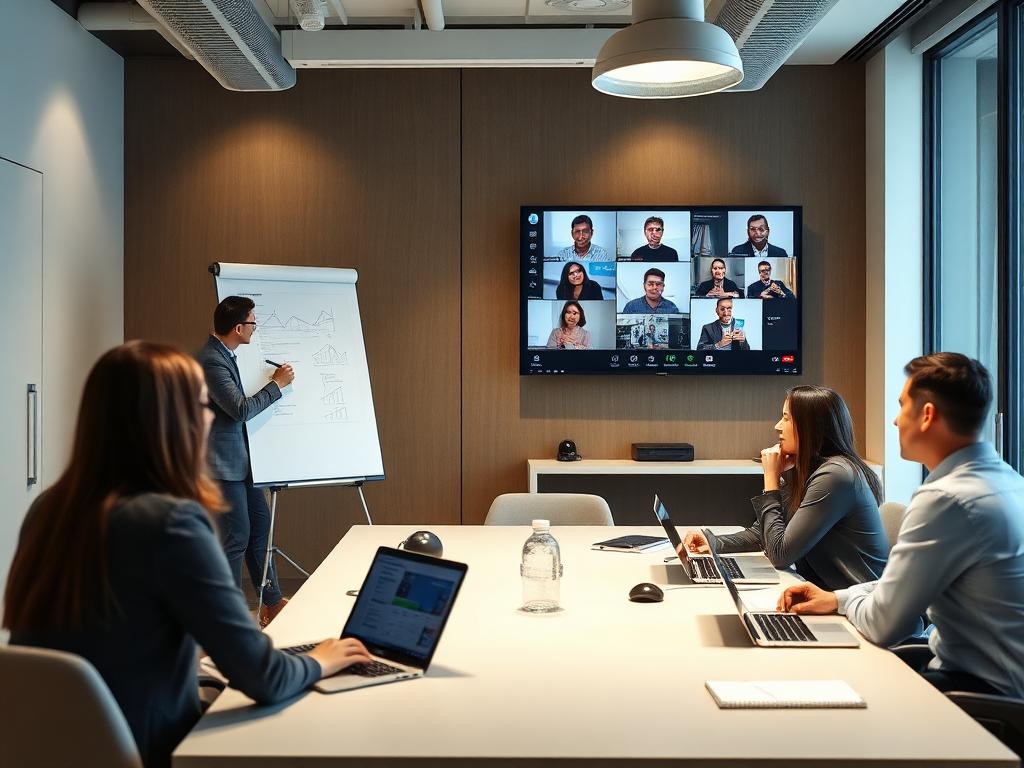
Training session with in-room and remote participants

STBOX

One box. Any room. Ready in minutes.

A self-contained unit that turns any meeting, training or client room into a ShareTheBoard room — no installation project, no AV contractor, no rewiring.

  • Plug in, point at the board, start the session
  • Portable between training suites and client sites
  • Works with the room's existing display and camera setup
  • Consistent experience wherever the session happens
Read more

TRAINING DELIVERY

Every participant sees the board clearly.

The board streams live to every laptop and phone — in the room and on the call — so trainers can keep using the whiteboard as their main teaching surface.

  • Live, high-contrast board feed on every screen
  • 8× zoom for detail-heavy diagrams and models
  • Runs alongside Zoom and Microsoft Teams sessions
  • Participants annotate and follow at their own pace
Read more

SESSION RECORD

Workshop output, captured automatically.

Every board is saved as a clean, timestamped record — the raw material for follow-up notes, client reports and reusable training assets.

  • Automatic capture of every board across the session
  • Timestamped archive linked to the discussion
  • Share with attendees who missed the session
  • Turn workshop boards into client deliverables faster
Read more

GOVERNANCE

Confidential sessions stay confidential.

Board content is captured under your organisation's access rules — encrypted, permissioned and retained exactly as long as policy allows.

  • Encrypted sessions with role-based access
  • Board-only capture keeps participants out of frame
  • GDPR-aligned retention and deletion controls
  • SSO and on-premise deployment options
Read more
Facilitator writing on a flipchart during a hybrid session

OUR DESIGN PHILOSOPHY

Built for how facilitators actually work.

Slides are for presenting. Whiteboards are for thinking with a room. ShareTheBoard protects that — nothing about your delivery changes, the board simply becomes visible to everyone and available afterwards.

Read about our philosophy

FOR EVERY DECISION-MAKER

One solution. Multiple stakeholders.

ShareTheBoard answers the questions that matter most — to each person involved in delivering and buying sessions.

Keep the board. Lose the workarounds.

You shouldn't have to choose between the spontaneity of a whiteboard and the needs of the people joining remotely.

  • Write naturally — everyone reads it clearly
  • No retyping board content into chat or slides
  • Wipe and continue; earlier boards stay available
  • Send the full session record straight after the close

Room-agnostic delivery

Run the same session format in your own training suite or in a client's meeting room.

Minutes

to set up a room with STBox — not an AV installation project

“Remote participants finally see the same board as the people in the room — we stopped adapting our sessions around the camera.”

Placeholder name · Head of L&D · Professional services firm

“Workshop write-ups used to take a day of rebuilding diagrams. Now the boards are already there when we sit down to write.”

Placeholder name · Managing consultant · Strategy consultancy

“We move the unit between our training rooms and client sites and it works the same way every time.”

Placeholder name · Operations lead · Corporate training provider

The next step is easy

See ShareTheBoard in action

Watch a 5-minute demo now, or book a 30-minute live walkthrough.

Or download the datasheet

Get the PDF with specs and use cases for your segment.